

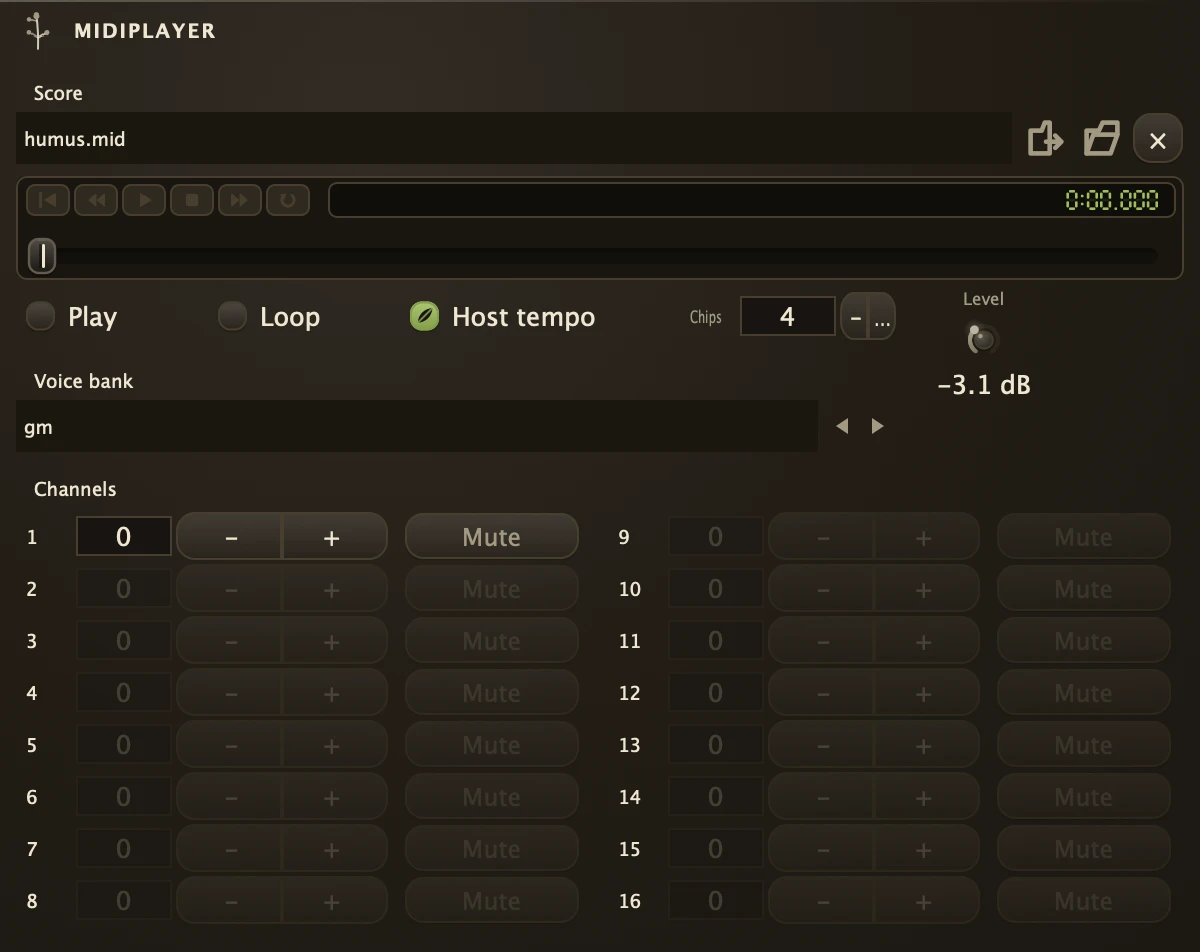
A score player that loads a MIDI file, sounds all sixteen of its channels from its own audio outlets, and passes the score on through a MIDI outlet so other instruments can play it too.
It reads .mid and .midi score files, .kar karaoke files and .mus, the compact score format of the early first-person shooters, and needs nothing else corded: choose a file and press Play. The voices are frequency modulation by default, a small bank of operator settings in the tradition of the home computer and the sound card, which is why it sounds the way it does; drop a sampled bank into the Bank slot and it plays recordings instead. Host tempo plays the score against the transport, or off lets it keep its own tempo map. Cord the audio outlets into a Fern or a Console. The MIDI outlet carries the notes, programs, bends and controllers the file holds, so a synth corded to it plays the same score with its own voice; a muted channel is silent there too, and stopping lets every note go. See FilePlayer for recorded audio and MidiIn for a score arriving from outside.
Parameters
| File | The score to play. Click the slot to choose one or drag a file in. |
| Bank | The instruments the channels play. The .wopn chip bank that ships with it is frequency modulation; an .sf2 sampled bank replaces the chips with recordings and ignores Chips. |
| Play | Starts and stops the score, and so does the Play button on the transport strip; every button on that strip is a parameter, so right-click any of them for MIDI Learn, OSC Learn, Control with or Follow. Stopping silences every sounding note; pressing Play after the score has run out starts from the top. It runs on its own clock, so the transport's Stop leaves it be; press Stop a second time, when nothing is rolling, and it stops with everything else. |
| Loop | Returns to the beginning when the score ends instead of falling silent. |
| FollowHost | Host tempo: on, the transport's tempo drives the score; off, the score keeps the tempo it was written with, including changes the composer wrote in. |
| Chips | How many sound chips play at once, one to four. One is six voices and a busy arrangement drops notes; four gives twenty-four. |
| Level | Output level. |
| Program1 | The instrument channel 1 plays. 0 plays what the file asks for; anything else overrides it for that channel. The same for Program2 to Program16. Channel 10 is the drum channel and stays drums. |
| Mute1 | Silences channel 1, on the audio outlets and the MIDI outlet alike, and so on for Mute2 to Mute16. A channel the loaded file never plays on fades out and stops responding, so what is left lit is what the file actually contains. |
Recipe
| Period score | Load a .mid, Host tempo off, Chips 4, Loop on, Level 0.7, and press Play. Mute the channel you want to play yourself and cord the outlets through a Fern with a short slap. |
| Lend it a voice | Load a score, mute the channel you want to replace, and cord the MIDI outlet into a synth. The file plays as written with one part sung by something of your own. |