

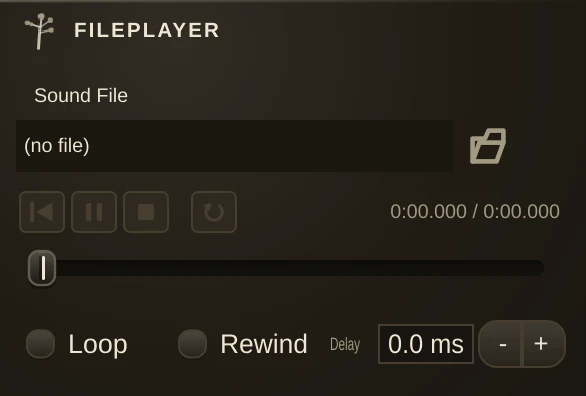
Plays a stereo sound file. FilePlayer plays a single mono or stereo sound file into a patch. The file can be looped to play repeatedly, or played once each time the play button is pressed. You can specify a length of silence to be inserted between looped repeats of the file. See the Loading Sound Files page for information about supported file types and how to load sound files.
Audio output and recording: FileRecorder, *FileRecorder (multi-file recorder), SoundOut.
Parameters
File
Selects a sound file. Select a file by clicking on the Select Sound File button. Alternatively, drag a sound file into the organism's sound file slot directly from the Macintosh Finder or Windows Explorer. The name and path of the file will be displayed in the sound file slot.
File Position Trackbar
Selects the current playback position of the input file. Click and drag the "thumb" to move the position. You can use it when a file is playing or paused.
Current / Total Time
Indicates the current playback time and the total duration of the file. Time is indicated in MM:SS.mmm format (minutes, seconds and milliseconds). Hours are also indicated when the duration is greater than one hour.
Auto Rewind
(AutoRewind) Rewinds the file to the beginning each time it is played.
Loop
Plays the file continuously, looping from the start when the end has been reached.
Delay
(LoopDelay) Controls the length of silence inserted between the end and the start of the input file as it is looped. Loop must be enabled for Delay to function.
Play / Stop
(Active) Starts and stops playback of the input file. Suggested Uses and Practical Applications Ross Bencina says: "Unlike LoopPlayer, FilePlayer is free-running. It does not synchronize to the clock, but you can automate its Active property to make it start at a certain point in an automation sequence."