

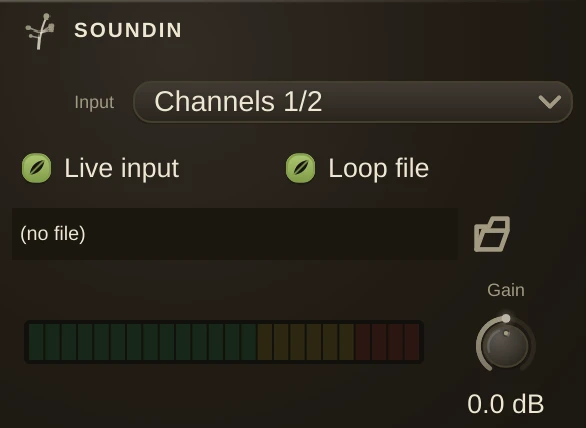
The audio input organism: a live stereo feed from your audio interface, or a sound file player. Live input is the default - drop one in, pick your input, and a microphone / instrument / line signal flows straight in. (macOS asks for microphone permission the first time; if you declined it once, re-enable Humus under System Settings > Privacy > Microphone.)
Channel
Which device input pair this SoundIn reads - the dropdown lists your interface's own input names. Default is 1/2, the main pair. Humus opens addressed channels automatically when the device has them; changing the channel applies live. A mono interface fills both outputs with the single input. The bar to its right shows the incoming level (pre-gain).
Gain
A clean input trim - a plain level multiply, so it adds no latency and no noise, and it is bit-transparent at 12 o'clock (unity). Turn it down to tame a hot interface, up to lift a quiet source.
Live input
On (the default): SoundIn carries the live interface input. Off: it plays the sound file below instead, looping per Loop - which is also how a patch renders offline without hardware (no live input, so it uses the file).
File / Loop
The sound file used when Live input is off. Set it and it loads straight away; Loop repeats it seamlessly.
Drop several SoundIns pointed at different pairs to treat each mic or line pair of a multichannel interface separately.
Retro-compatibility: older patches use AuxIn1 to AuxIn8 for extra inputs (mono, mapped from channel 3 up). These still load - each carries its channel as a parameter behind the scenes.