

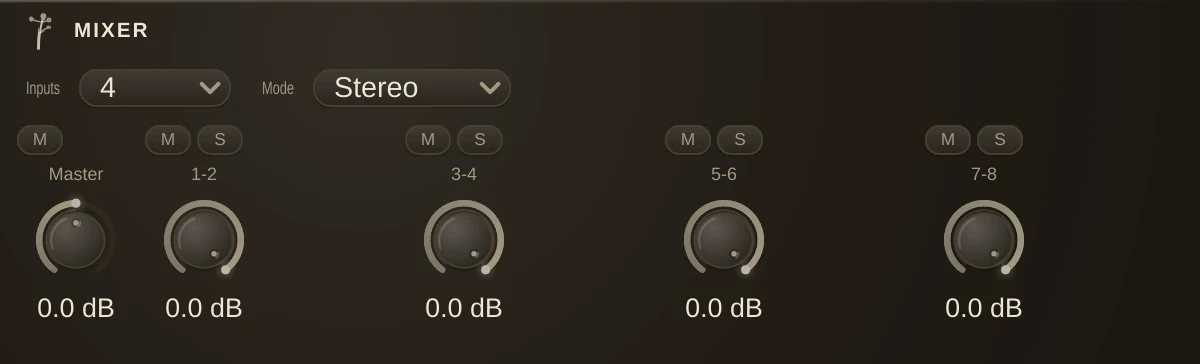
Sums several signals into one, with per-input Gain, Mute and Solo plus a Master gain/mute.
Size
The Inputs and Mode dropdowns at the top of the property editor set how many inputs the mixer has (2 to 8) and whether they are stereo pairs, mono channels, or pan inputs. Changing them resizes the mixer in place: its name, cords (clamped to the new inlet count), parameter values, automation and MIDI mappings all survive.
Behind the scenes each size is its own class (a 4-input stereo mixer is an S4Mixer), so older patches load with their mixers intact, and your documents stay readable by size.
Mono sources
The left inlet of each pair doubles as the mono jack, the way a desk's L/Mono input does: one cord into the left side feeds both sides of the mix, so a mono source sits centred instead of hard-left. Connecting the right side as well restores true stereo, and a cord into only the right side stays on the right. To place a mono source off centre, use the Pan mode: each input becomes mono with its own Pan knob, a balance control that leaves the centre at full level and only turns the far side down.
Solo
If any input is soloed, only soloed inputs are heard. Mute always silences its input.