

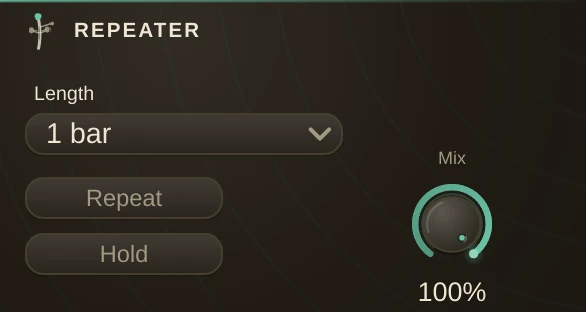
The loop roll, on live material. The Repeater is always listening, whether you are rolling or not. Hit Repeat and the last Length of audio (1/16 bar up to 4 bars) plays in repeats snapped to the transport grid, so they land on the beat. Release, and the live signal takes over again seamlessly.
Follow vs Hold
By default the roll follows the music: every cycle re-grabs the freshest window, the way DJ software rolls, so filter tweaks and pattern changes keep flowing through the repeats and everything stays locked. Switch Hold on to latch one slice instead - it repeats verbatim until you let go, even if you cut the source dead: the freeze for build-ups.
Inlets
| 1-2 | The live signal. It passes through untouched until Repeat goes down (and keeps flowing underneath the roll when Mix < 1). |
Performing it
| Repeat | the roll. Map it to a pad or key (Parameter Control) for the classic hold-to-roll feel. |
| Length | the size of the window. Change it while rolling and the roll re-slices on the same grid - walk it down 1 bar, 1/2, 1/4, 1/8 for the tightening build into a drop. |
| Mix | 1.0 replaces the signal with the roll; lower it to layer the roll over the live material. |
Loop edges are spliced/crossfaded, so even melodic material rolls without clicks. With the transport stopped the Repeater still works - it repeats the last Length's worth of audio ending right now.