

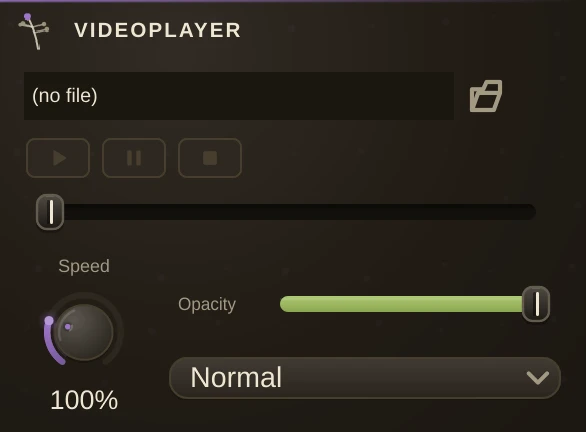
The video deck. Load a tape (any .mp4/.mov/.m4v) into its File slot, or drop a clip from the timeline on the slot to load that clip's tape, cord the video outlet - the video-coloured pin - into one of Lumen's video inlets, and the tape plays there, looping. Video cords are the third cord domain beside audio and MIDI, drawn in their own colour.
Speed is the motor, read in percent (100% is the tape as recorded, 0% freezes the frame, 200% doubles it - saved in patches under its older name Rate), and Opacity and Blend (Normal, Add, Multiply, Screen) set how the layer composites at the display. All ordinary params - automatable and modulation-routable, so a Follower can drive the speed with the music. The deck plays the picture as it is; treatments belong to the shaders and the contraptions downstream.
The dotted MIDI inlet is the relaunch trigger: ANY note-on rewinds and restarts the tape. One deck per launch lane - cord a Sequence, PianoRoll or keyboard into each deck to cut video in time.
For heavy sets, encode your tapes as HAP (an open codec whose frames are GPU textures - most encoders offer it, including the HAP, HAP Alpha and HAP Q variants). A HAP tape costs almost nothing to decode, so many decks can run at once where an ordinary .mp4 would choke; it is the format live-visual rigs standardise on, and the deck picks it up from the same File slot with no setting to flip.
Any ordinary tape plays on every platform - h264, hevc, vp9, av1, the DivX and MPEG-2 of old AVIs and DVD rips, WMV, ProRes - with the graphics card decoding where it can (the terminal says which decoder a tape got); a HAP .mov plays too. The deck rolls while its editor is open or while something downstream is watching its outlet - a Video Out, a mix, a tracker - and rests otherwise, so a tape you are not looking at costs nothing.
Parameters
| File | the video to play. |
| Rate | the Speed knob: how fast the motor runs, in percent. 100% is as recorded; 0% holds a still frame. |
| Opacity | how strongly this layer shows over the ones beneath it. |
| Blend | how it combines with those layers: Normal, Add, Multiply or Screen. |